AI-Augmented Prototyping Tool
An internal tool I built: a UI-UX design layer on top of LLM generation, so one simple prompt returns a designed mobile prototype, not a draft.
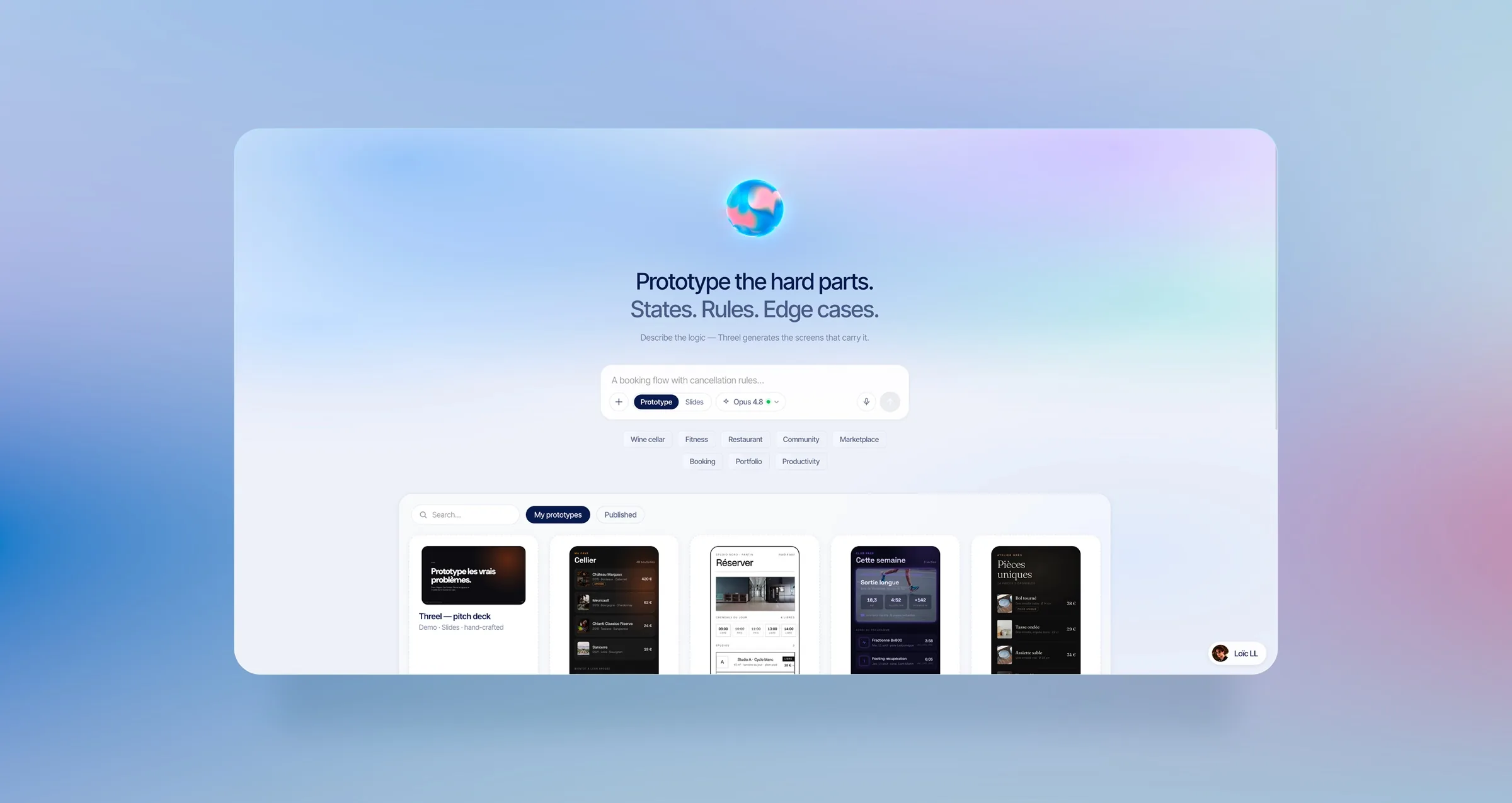
Overview
A UI-UX design layer on top of LLM generation: it couples Claude's raw power with my own designer expertise, wired directly into the generation itself. What it produces: framed, designed mobile prototypes.
It has no name yet and it's still in progress, on purpose: the internal tool inside my own workflow, in continuous improvement. The simplest way to say it: a junior UI-UX designer that uses Claude, on demand.
Built the whole tool, from concept to a daily-use workflow
The entire product: design logic, editing UI and generation layer
Turned a recurring pain into a reusable, standardised method
The problem
The real gap in 2026 is between the final mobile app and its design. Full-AI prototypes work, but only after long prompting sessions before anything satisfying comes out. I'd built enough of them this year to see the pattern, so I automated the method itself.
Research & approach
The layer is my product and design logic, encoded rule by rule: how a screen should behave, the states it needs, where a flow branches, the naming and hierarchy I'd defend in a review. Because those rules are explicit, the model doesn't start from a blank prompt, it starts from my standards. It's deliberately not token-frugal: at equal prompt it beats raw Claude even with good skills, because it spends the budget where a designer would, on edge cases, empty and error states, the moments generation quietly skips. And it reasons about the whole product and its user flows before drawing a single screen, so what comes out is a coherent app, not a stack of pretty frames.
- My logic, encodedEvery rule of how I design lives in the tool as an editable card, naming, states, hierarchy, how a flow should branch. It's my product thinking made steerable, not a black-box prompt.
- Budget on the hard partsIt's built to spend where it matters, edge cases, empty and error states, the complicated flows raw generation skips. At equal prompt, that's the gap between a draft and something I'd sign.
- Product, then screensIt reasons about the whole product and its scenarios first, then one-shots around thirty screens with the user flows laid out. Past the prototype, the project hands off to Claude Code to keep building.
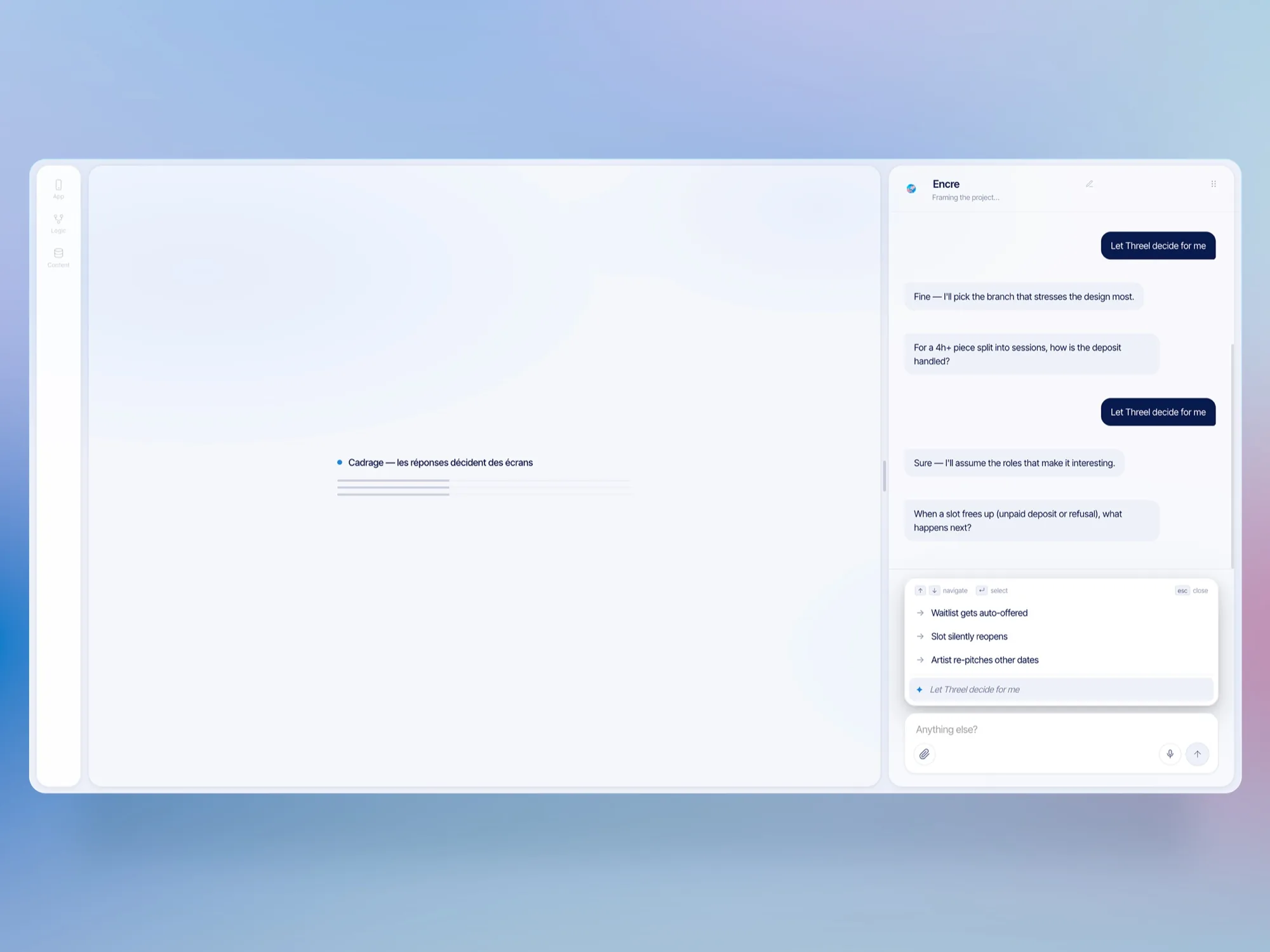
Flow
Design decisions
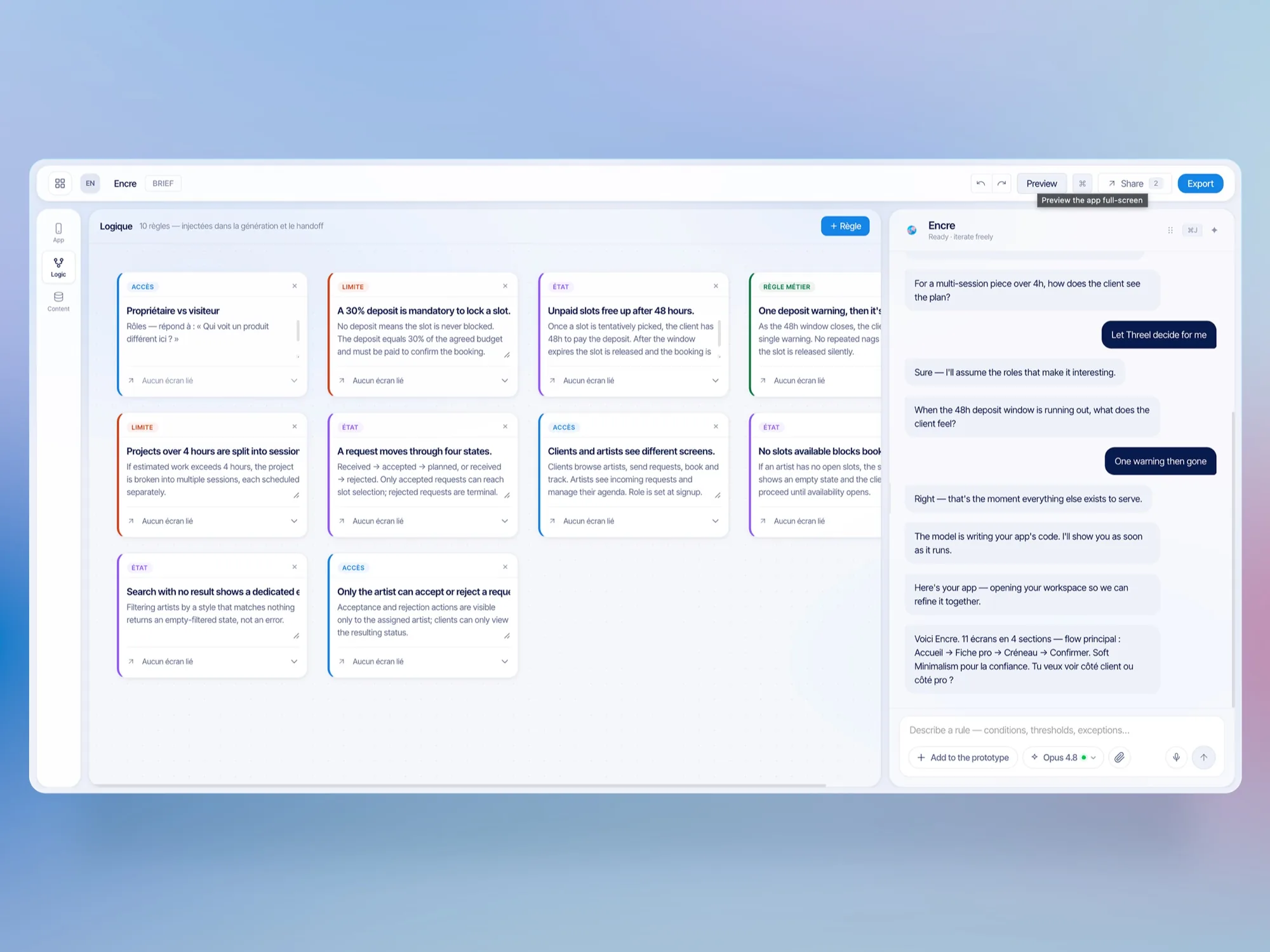
My design logic, as editable cards.
The interface centralizes every rule of the prototype as editable cards: the backbone of its logic. It's my way of thinking about products, made steerable.
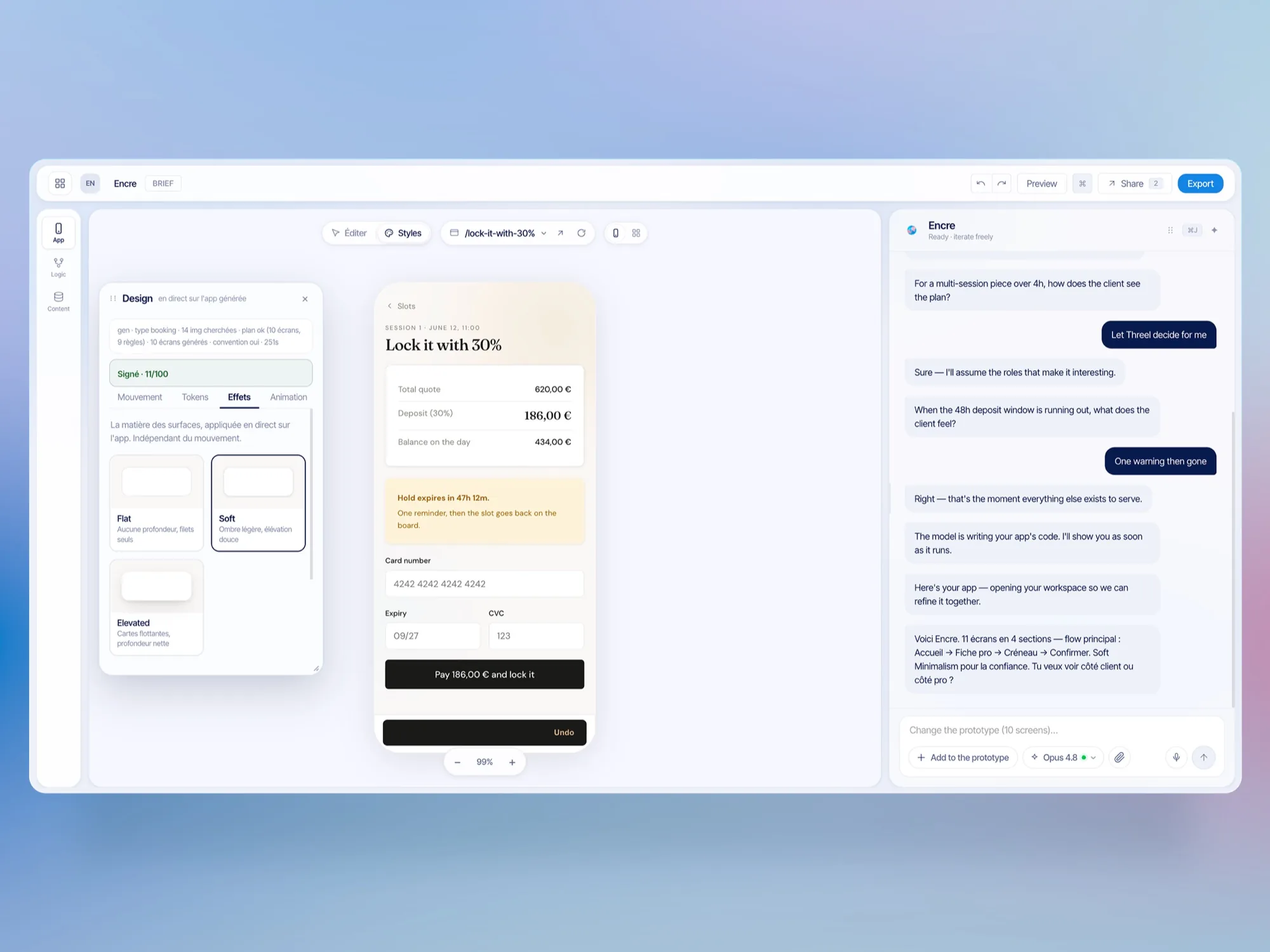
Hybrid editing, not chat-only.
After generation you don't just talk to it: a prototype-aware editing interface takes over, and every style is piloted globally in a snap. Its UI-UX draws directly on my years at GoodBarber, working with an app builder for iOS and Android.
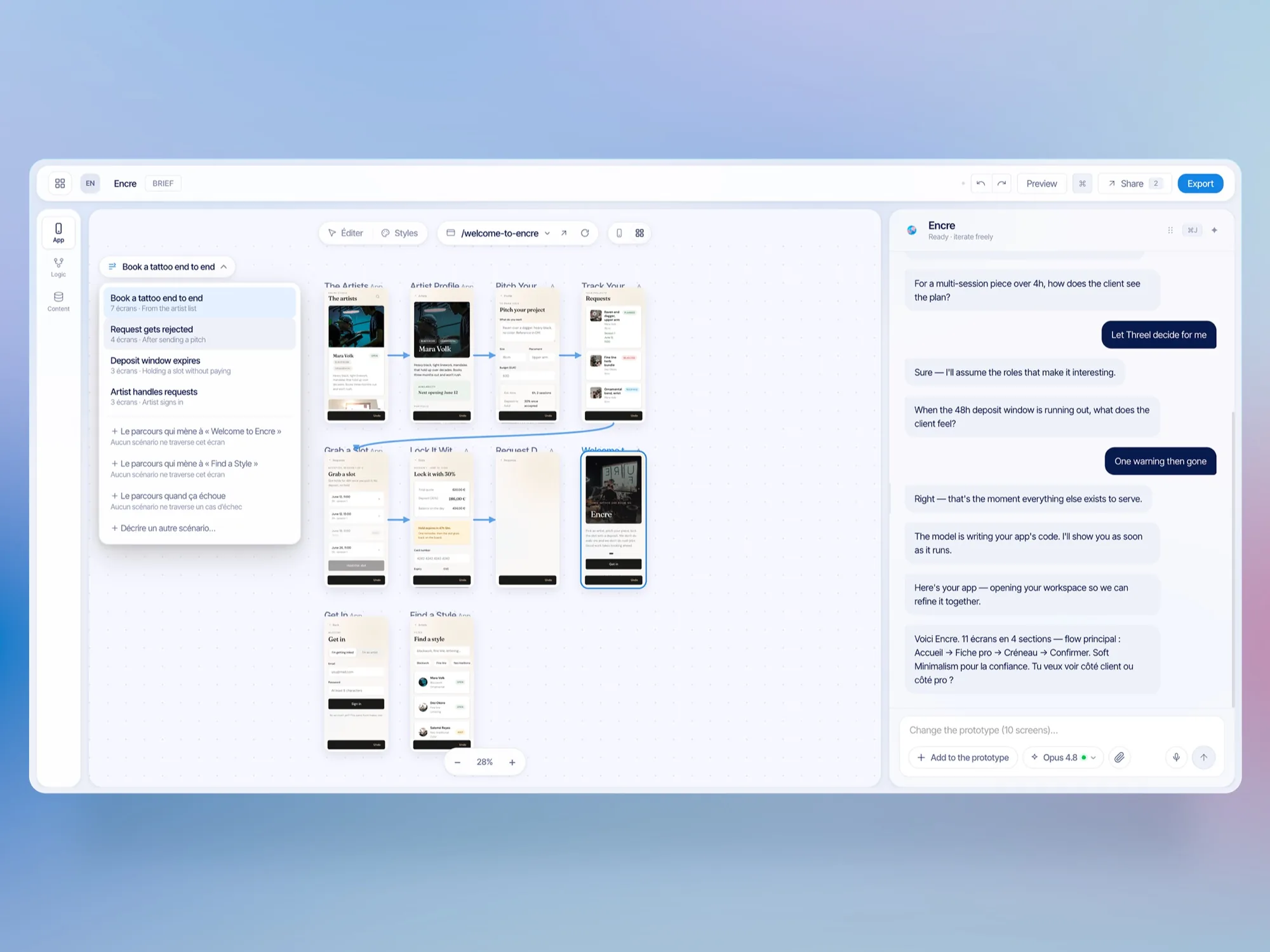
Thirty screens, one shot.
It one-shots about thirty screens with scenarios and user flows visualized, then hands the project to Claude Code to continue past the prototype.
The screens
The tool, inside the workflow.
The hybrid editor, the logic cards, and a thirty-screen one-shot
Outcomes
A magic recipe, honestly framed: a usable base, as if a junior UI-UX designer had already done it with Claude.
My design logic runs without me: one simple prompt returns work I'd sign.