Finely
A personal-finance app that feels like a beautiful wallet, not a spreadsheet, with an AI advisor inside. Full native iOS, in TestFlight.
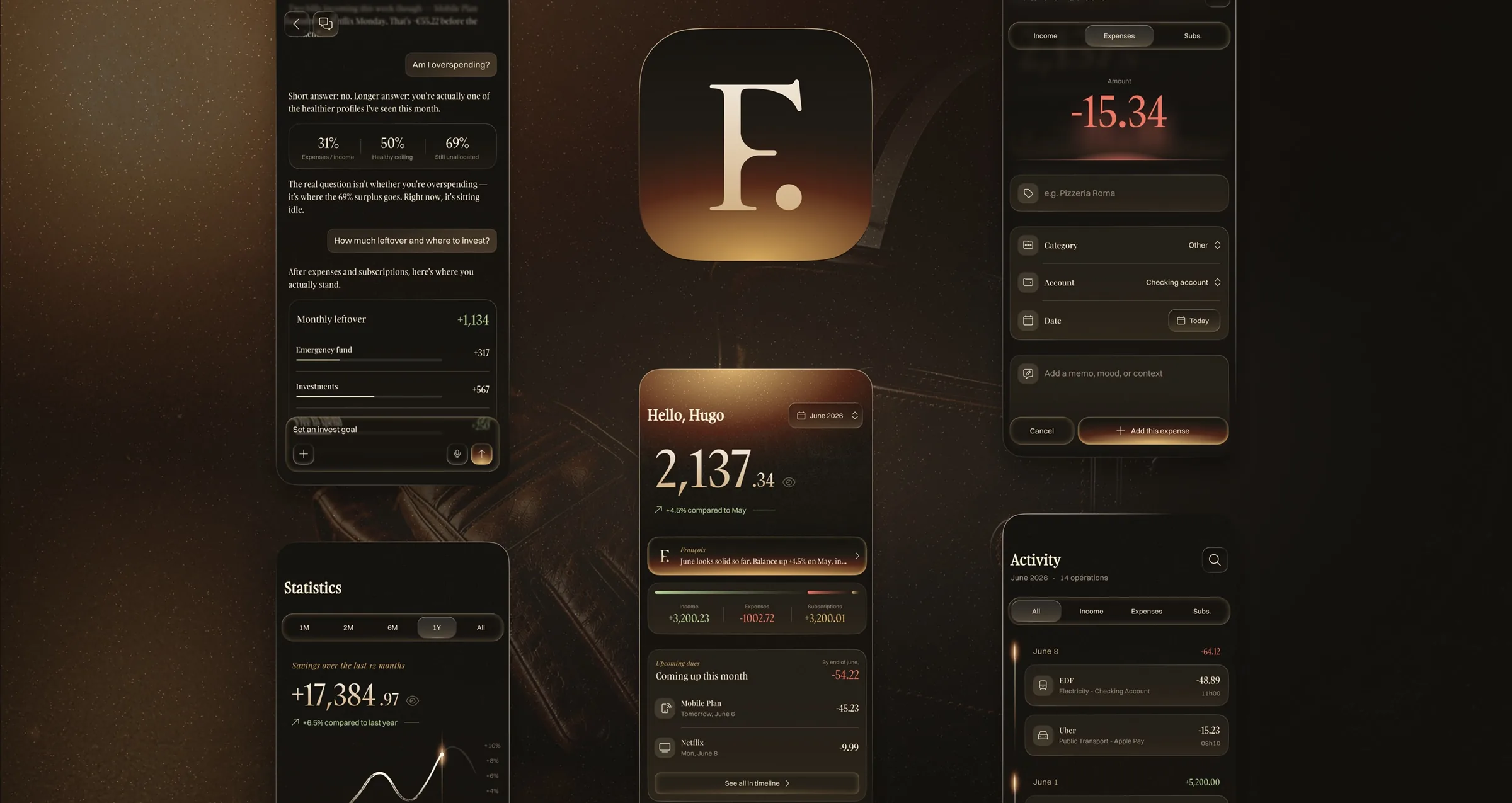
Overview
Finely is a native-iOS personal-finance app concept: it tracks your spending, subscriptions, habits and lifestyle, and puts an AI advisor inside to turn the numbers into financial-education insights. Designed hand-in-hand with a senior iOS engineer.
For now it's a personal-use tool, in testing on TestFlight, full native iOS.
Native iOS, built hand in hand with Stéphane Lanfranchi, senior iOS engineer.
Designed the key UI screens in Figma, plus AI prototypes
A full native iOS product, built out with a senior engineer
Shaped the in-app AI advisor and the twin-theme direction
The problem
Your money is scattered: expenses everywhere, subscriptions you forget, no single place that holds it all. And what exists to fix it is either a guilt-tripping tracker or a spreadsheet. You deserve better than an Excel tab, something you actually want to open, like a beautiful wallet that remembers its own history.
Research & approach
I started from the friction, not the feature list: money scattered across cards, apps and forgotten subscriptions, and tools that either guilt-trip you or read like a spreadsheet. So the brief narrowed to one thing, make a finance app you'd actually want to open. Because I paired with the senior iOS engineer from day one, it's native by default: real SwiftUI, platform-true gestures, motion at full frame-rate, so nothing dies between Figma and Xcode. On top sits a warm, tactile look, a display serif and a soft amber palette, so the app feels like an object you'd carry, not a form you'd dread.
- Start from the frictionManaging money is usually a chore, an Excel tab you dread, and your spending is scattered across cards, apps and subscriptions with nothing to centralize it. That's the friction I started from.
- Paired from day oneDesigned alongside a senior iOS engineer, every screen checked against what SwiftUI can really ship, so nothing dies between Figma and Xcode.
- Amber and CreamA warm dark mode and a soft light one, designed in parallel from the start and switchable in a tap.
Flow
Onboarding is the setup. Instead of a passive tour, the user builds their real month one screen at a time, so they land on a live home, not an empty app. Each step asks for one thing, in the order money actually moves: what comes in, what's fixed, what recurs.
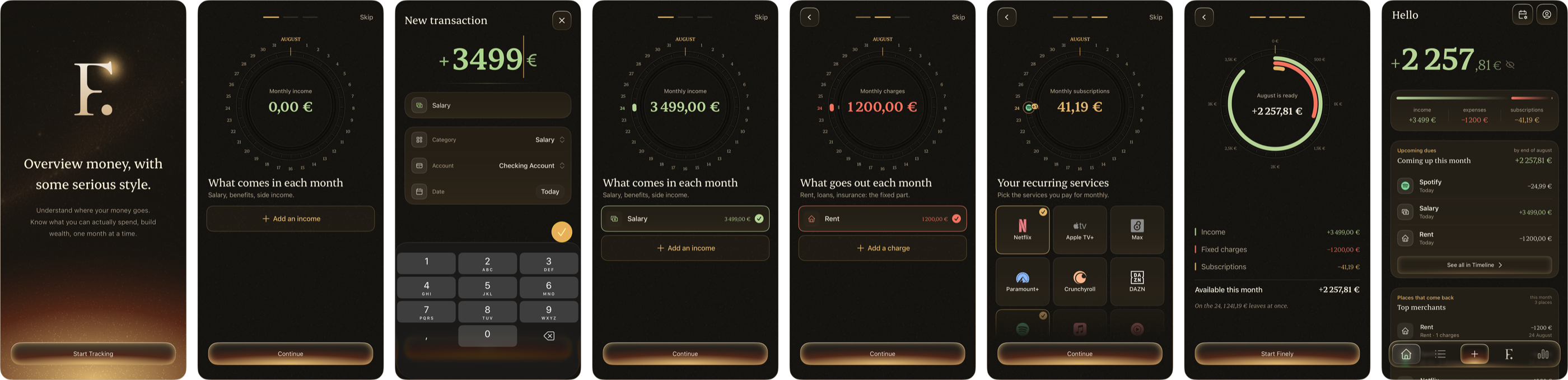
- What to show, whenIncome, then fixed charges, then subscriptions, one concept per screen, never a wall of fields. The dial fills as you go, so progress stays visible.
- Always a way backA Skip on the early steps, a Back arrow once the flow branches: nothing is trapped, and every entry stays editable before it counts.
- Setup that pays offThe last step isn't a "done" screen, it's the user's real month, already built, so the effort lands them on a populated home instead of a blank slate.
Design decisions
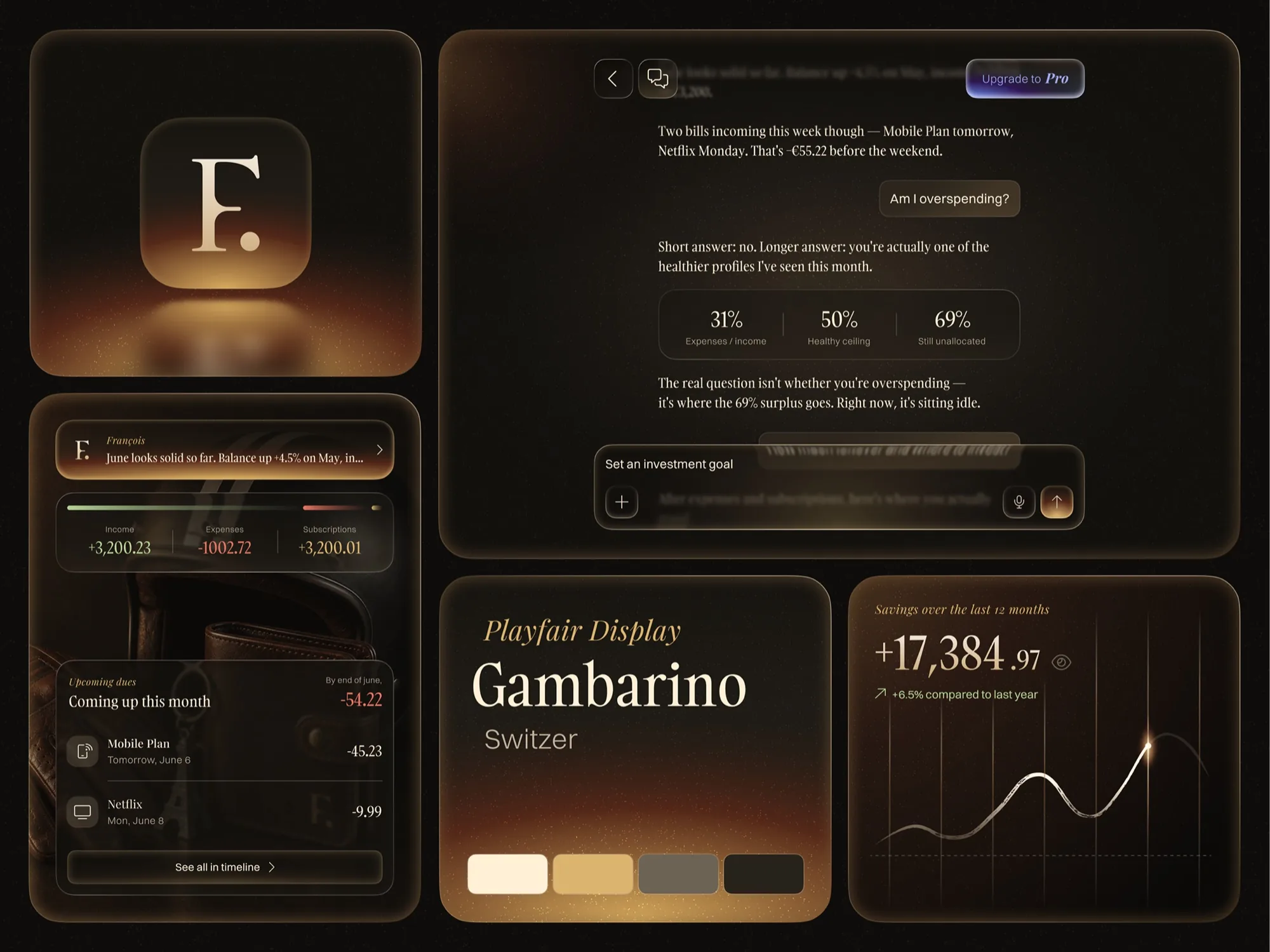
An advisor, not a spreadsheet.
An AI advisor lives inside Finely and reads your actual numbers: "Am I overspending?" gets a real answer, plus where the surplus should go. It teaches financial literacy in context, not in a course nobody finishes.
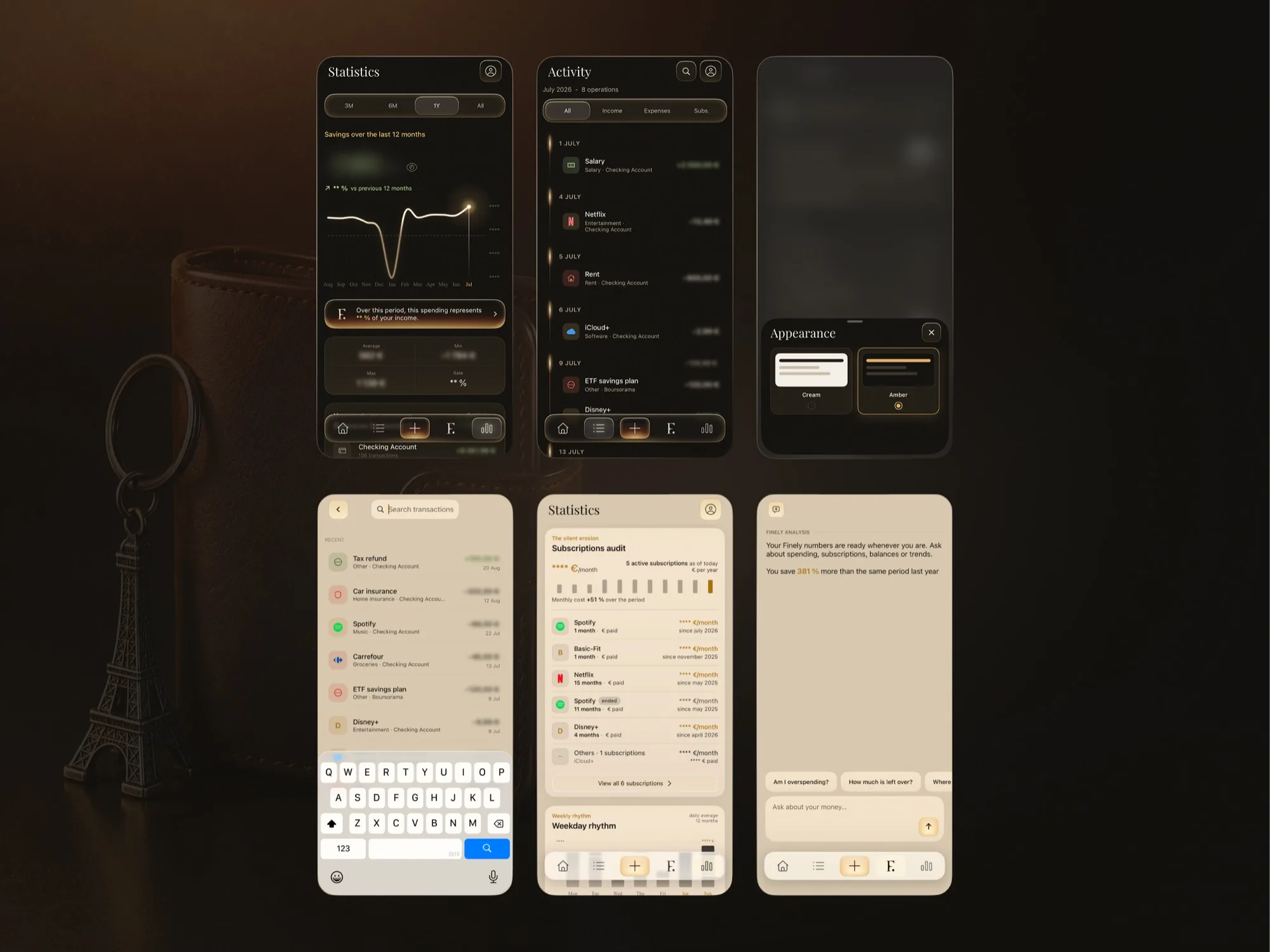
Amber and Cream, both crafted.
Two themes designed with equal care, a warm dark "Amber" and a soft light "Cream", switchable in a tap, so the app matches the moment instead of shipping dark mode as an afterthought.
The screens
Native iOS, end to end.
The dashboard, the advisor and the two themes
Outcomes
In real hands, on TestFlight.
A finance app you'd actually want to open, native and in real hands.