Eclipse | Cinema App Prototype
A fictional cinema app for an imaginary twelve-screen multiplex, designed and prototyped in four days, iPhone first: find a film, book your seat, walk in with your phone, come back.
Overview
Eclipse is the app of a fictional twelve-screen multiplex. The cinema goes dark so that one light remains: the screen's.
A fictional project, a four-day UI/UX challenge from the brief to a tested prototype: a PRD, two personas, the journeys, a working prototype designed iPhone first and recomposed for iPad and Mac, a design system in two themes, three test sessions and a v2. The name is not decoration, it carries the idea: the app is a dark room, and everything you choose lights up in the projector's beam.
Legal note: Eclipse is a fictional project, made as a design exercise, with no commercial use. The multiplex, its screens, showtimes, prices, personas and member card are invented. None of the films belong to me: titles, posters, stills, trailers and cast photos remain the property of their studios, distributors and rights holders, and are shown for illustration only.
Designed the whole app, from the PRD to the tested prototype
PRD, personas, journeys, prototype on iPhone, iPad and Mac, design system, tests
One thesis carried everywhere: the room goes dark, the screen's light stays
The problem
A multiplex sells an evening, not a showtime file. Most cinema apps look alike: a poster carousel, a grid of times, a seat map you can't read with a finger, a price revealed at the last step, a QR code you can't find at the door when the network drops. The moviegoer does the work.
Research & approach
Three promises, each one measurable. Book in under a minute. Never be surprised: the total is visible from the seat map, seats are held with a written delay, and every mishap, sold out, seat taken, card declined, offers a way out with its price. Walk in without searching: the ticket works offline, opens on its own as the showtime nears, and goes full brightness at the door.
- Two personasInès, 29, an Unlimited member who books in the tram, always row G in the middle; Marc, 46, four seats on Sunday with two children and his mother in a wheelchair.
- One lightProjector ivory as the only accent, on a black room. The film's own image is the background of the app, blurred under glass; the rest stays silent.
- Every stateLoading, empty, error, permission, offline and stale data on every main screen, plus sold out, seat taken, payment declined, hold expired and showtime cancelled.
Flow
Journey A, the one everything is measured against: Inès books two seats for tonight, for her and her brother, in VOST. Three screens: the home, the film, the seat map with her usual seats already placed, then the ticket.
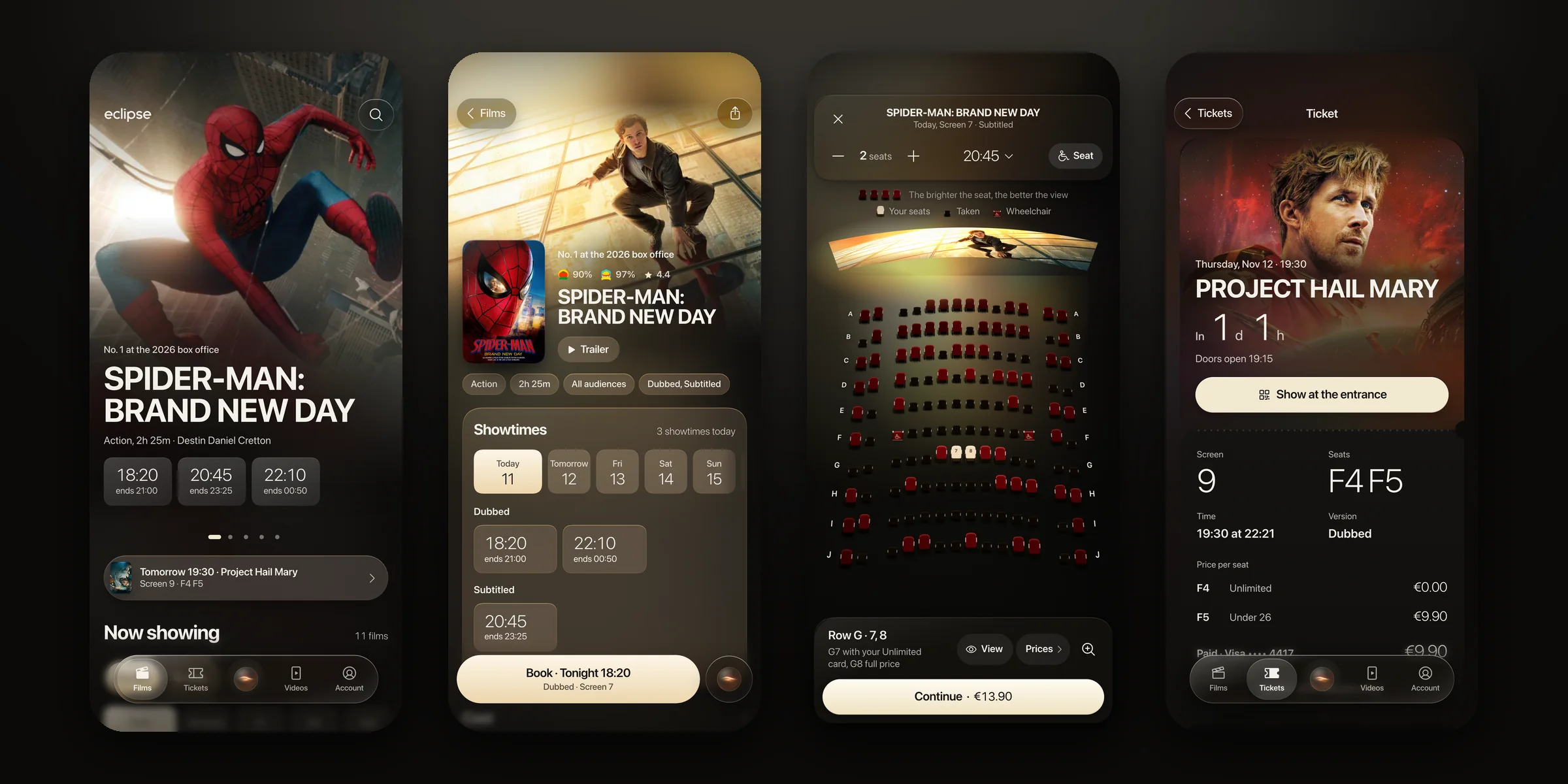
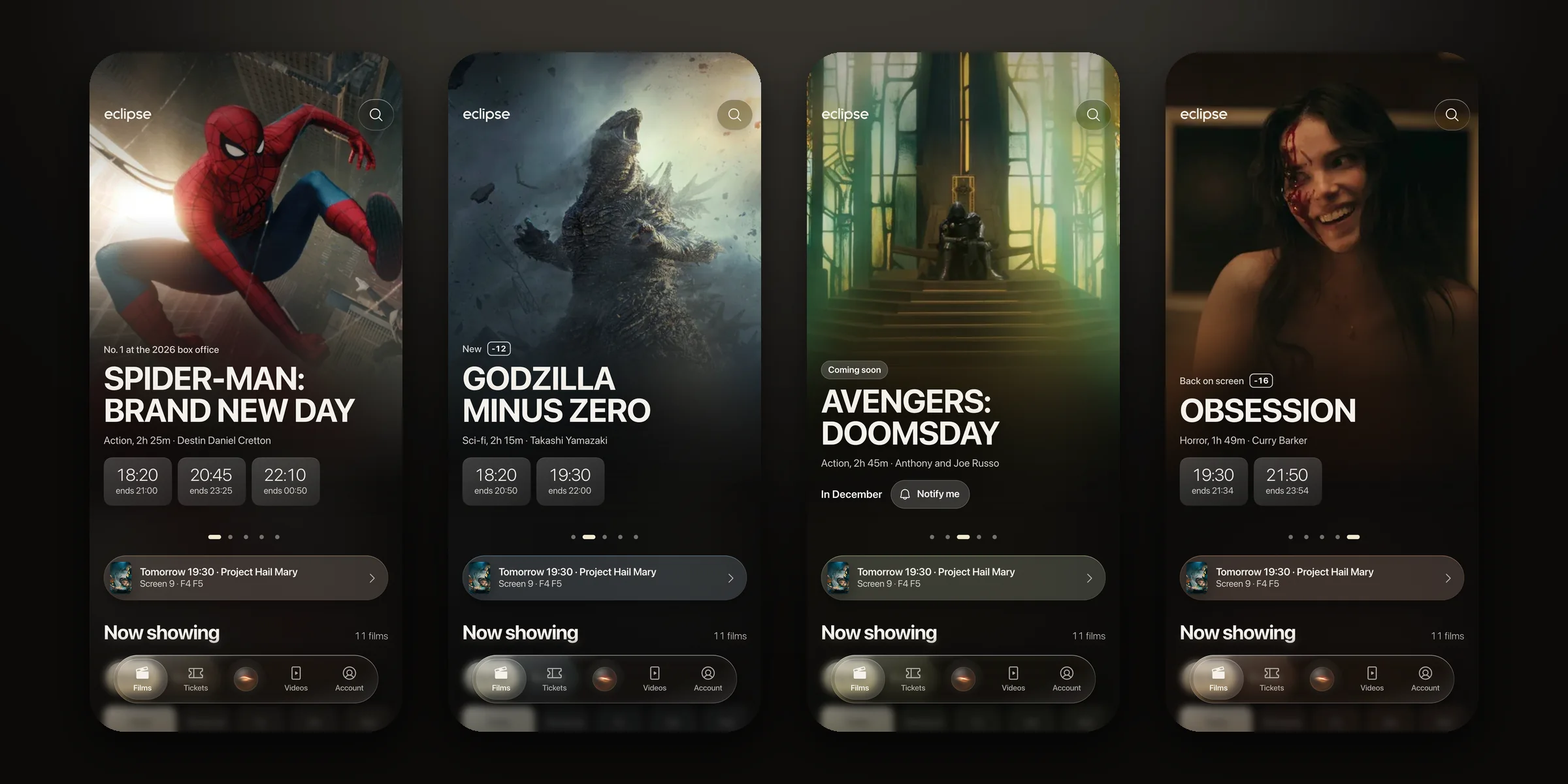
- FindThe home is the film itself, full frame, with tonight's showtimes on it. Browse by film or by time, filter by version and format, never a carousel that moves on its own.
- BookThe seat map opens with the best free seats placed for the party, the total follows every choice, and payment is a double press.
- Walk inThe ticket opens on its own as the showtime nears, reads offline, and comes up in full light at the door.
Design decisions
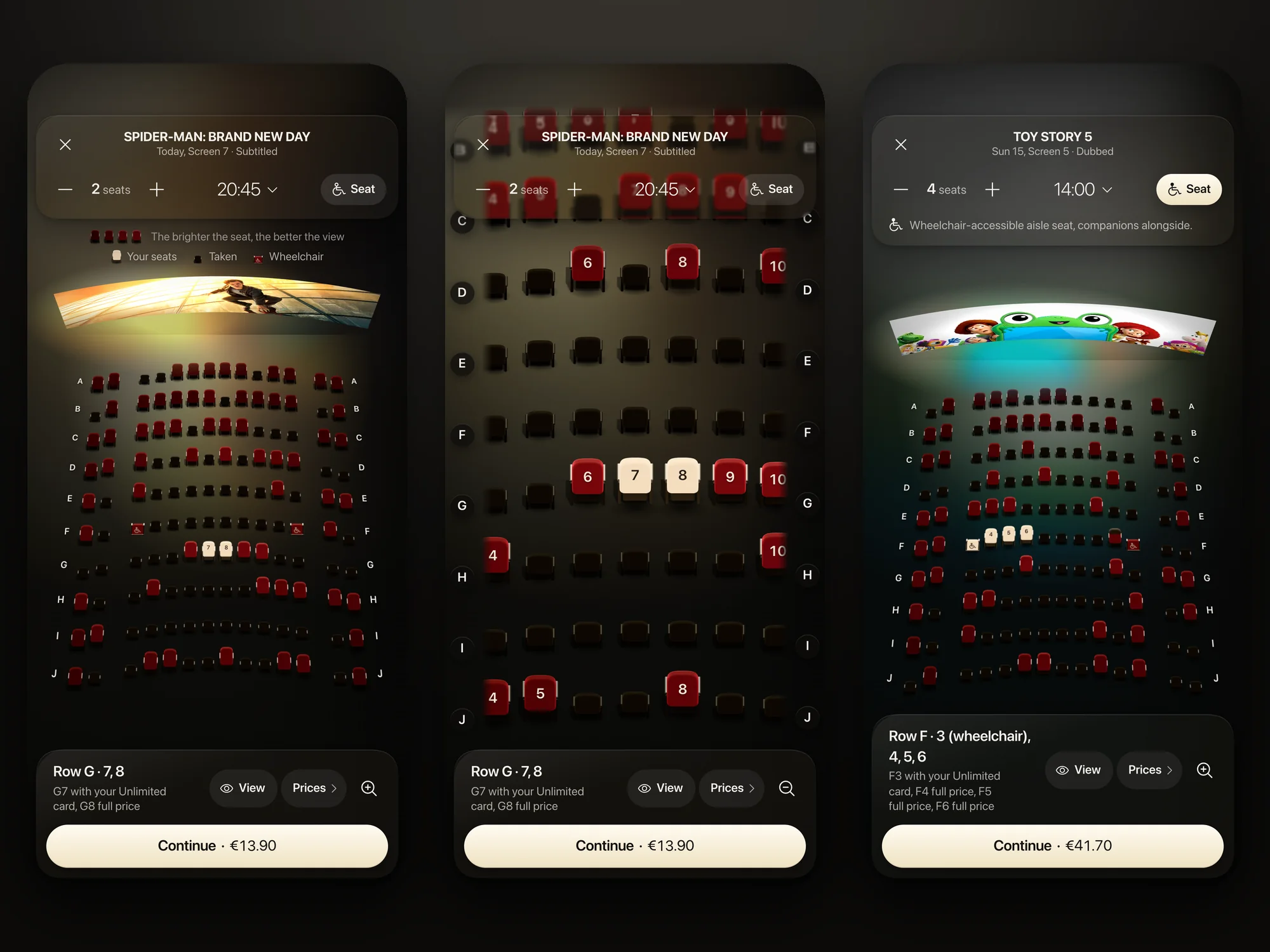
The screen's light falls on the seats.
Each seat is lit according to its view, distance and angle. The best seats need no "best seat" badge: they are simply brighter. The map opens with the best free seats already placed for your party, a wheelchair seat comes with its companion alongside the rest of the family, and you adjust from there.
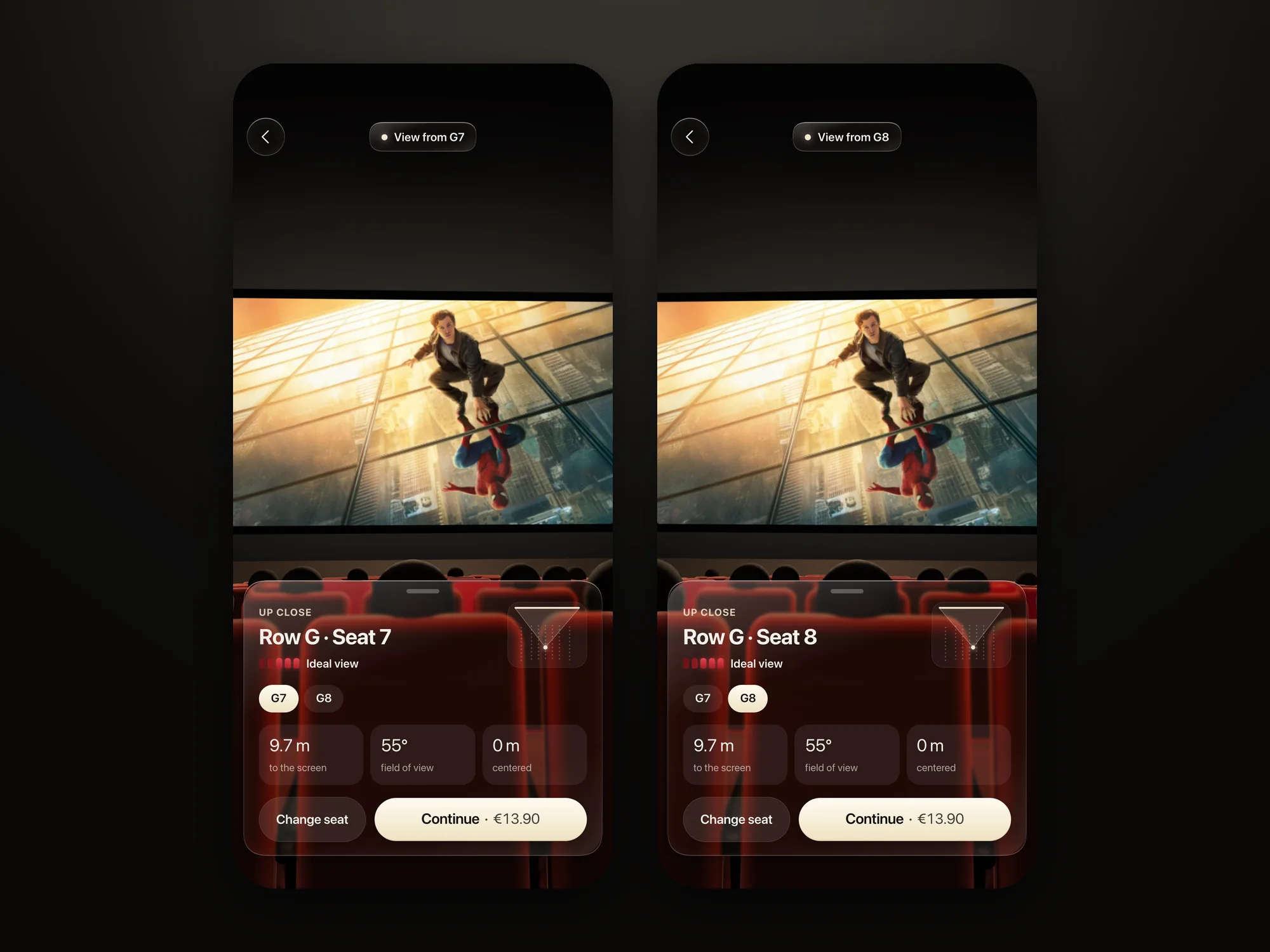
See the screen from your seat.
One tap takes you down into the room, a 3D view from the seat you picked: the screen, the rows in front, the distance and the angle in numbers. Move one seat over and the view follows.
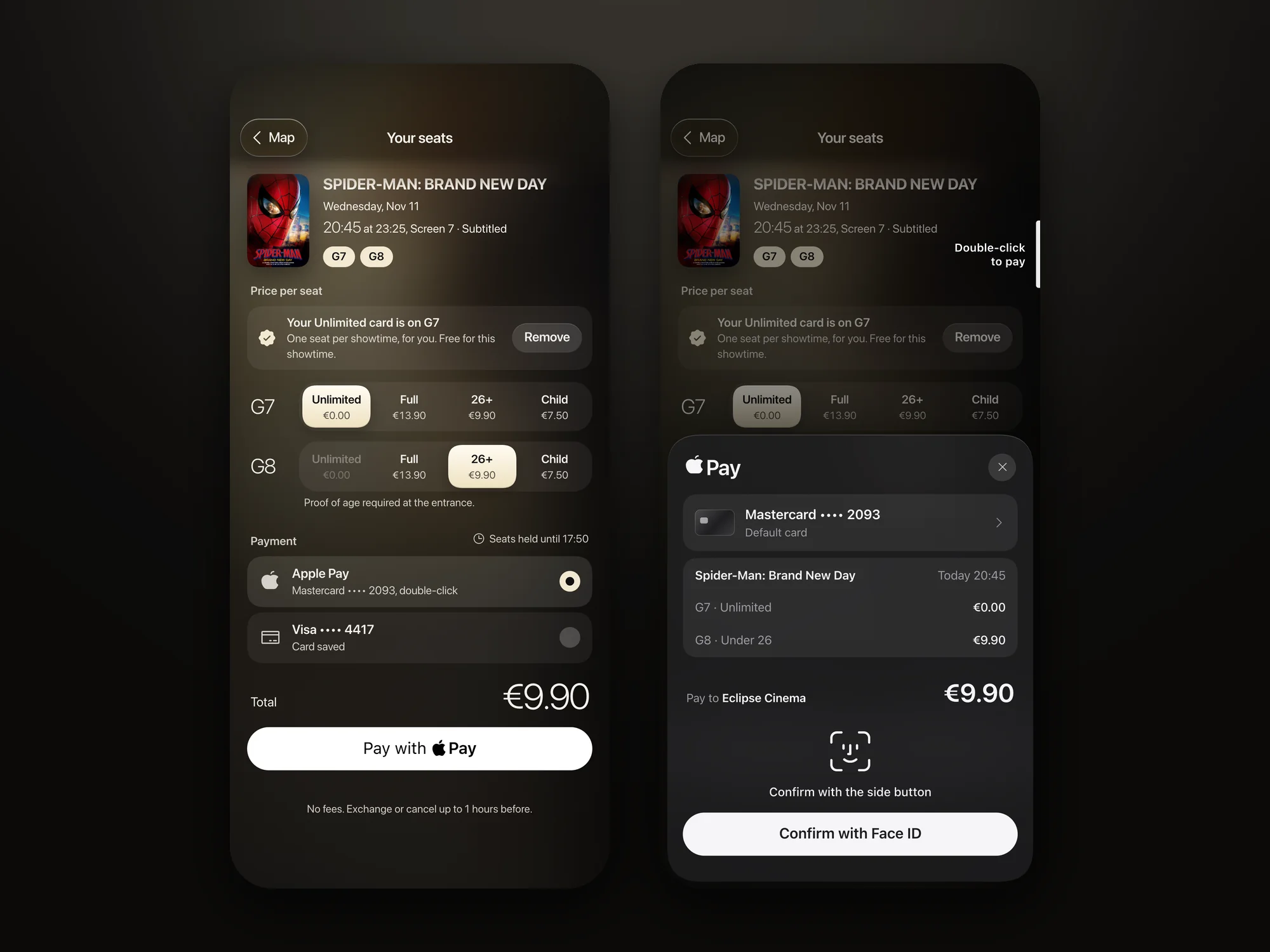
The total follows every choice.
There are no fees, and the price is visible from the first seat. The member card is named on the seat it covers instead of being preselected without a word, rates change from the map, and payment is a double press. A declined card says why, and keeps the seats with the delay written down.
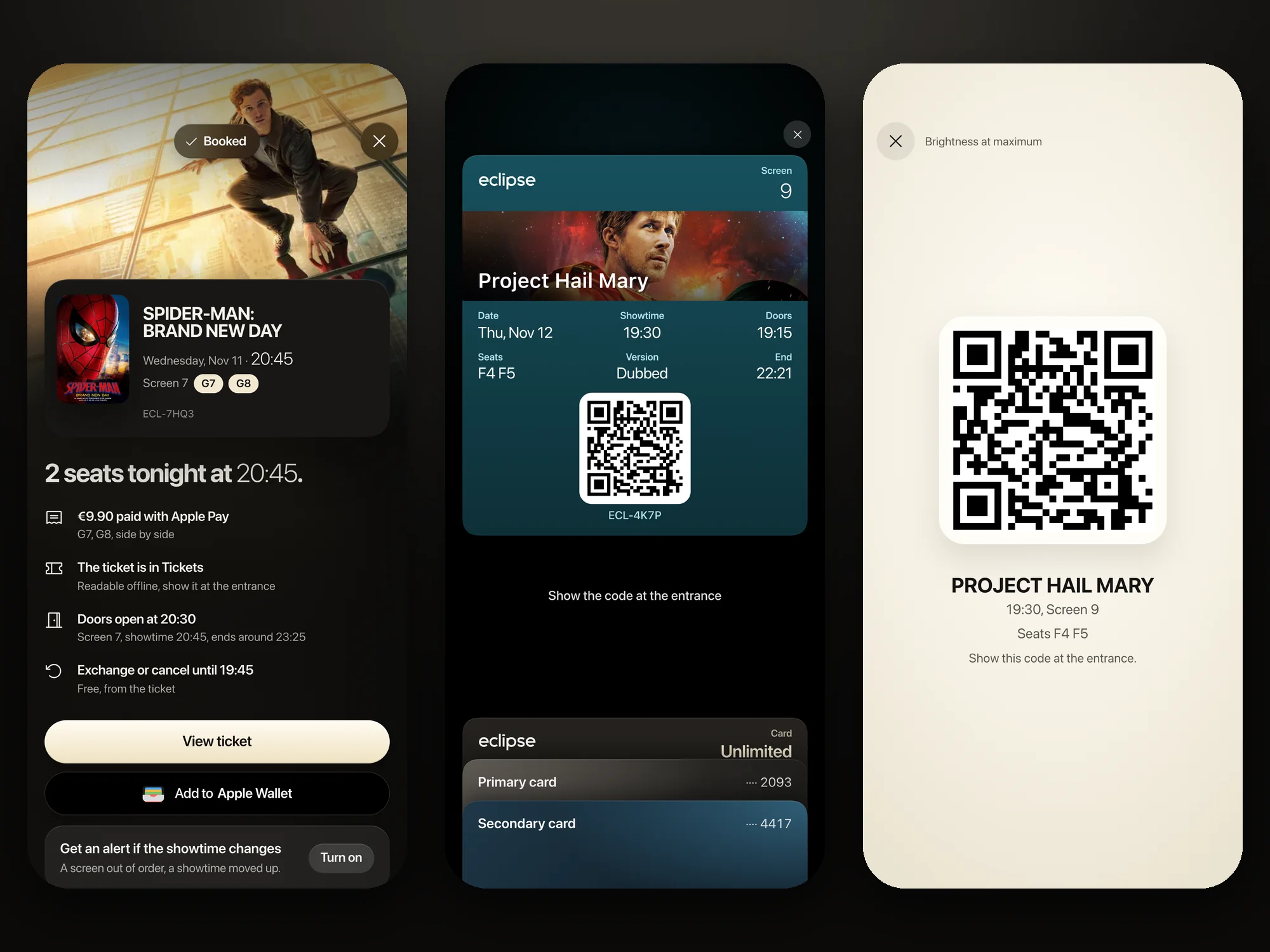
A ticket in the film's light.
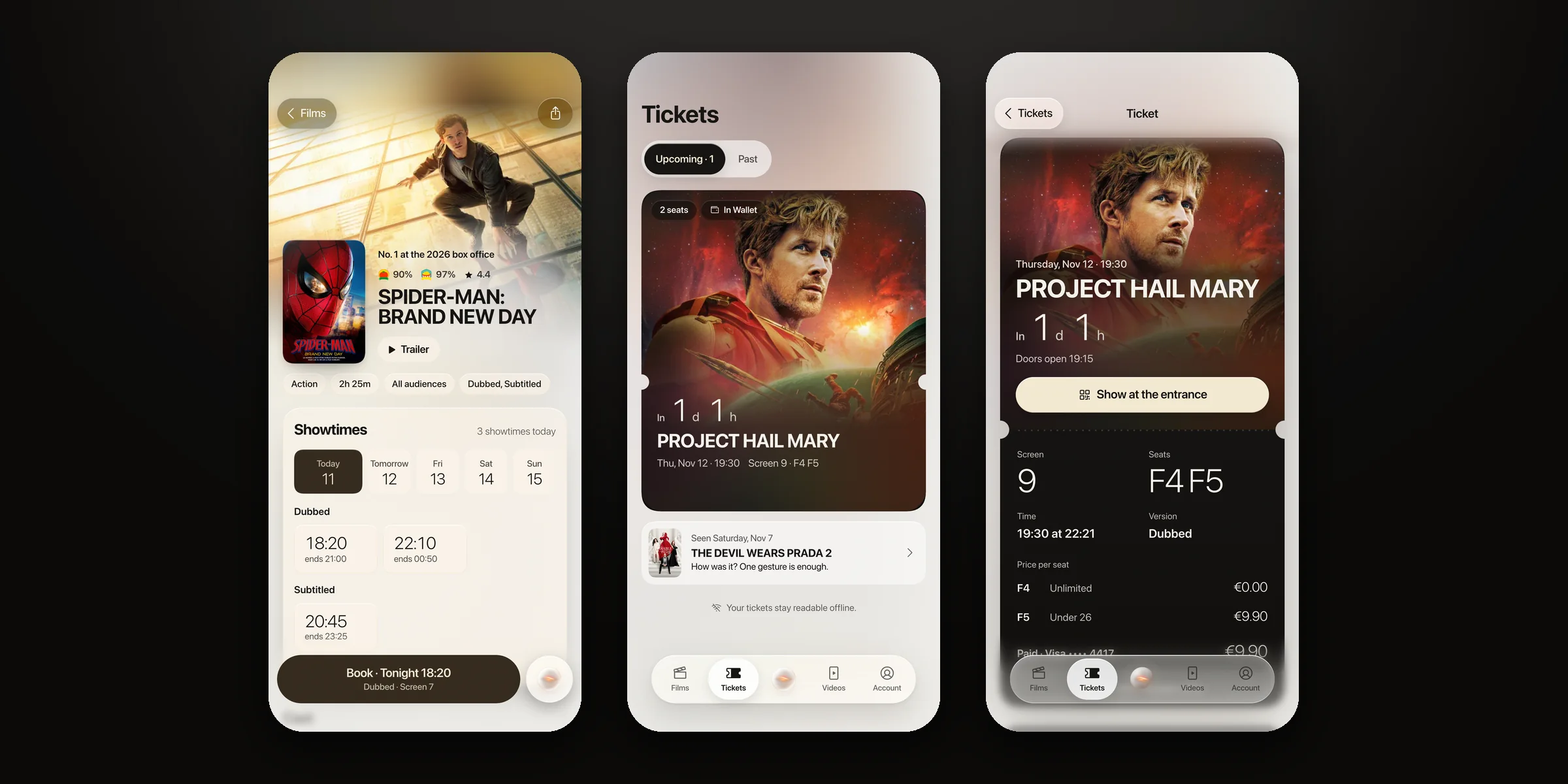
The ticket carries the film's image under a band of glass, with the time left written calmly. It reads offline, opens on its own as the showtime nears, and at the door the code comes up in full light. From the confirmation, Add to Apple Wallet puts it in the phone's wallet in one tap, and a double-click of the side button brings the pass up at the door. The next day it becomes a memory you can rate in one gesture.
Three formats
Designed for the iPhone Pro Max first, then recomposed for each screen, never a phone column stretched wide. The same three screens in each format: the home, the film, the seat map.
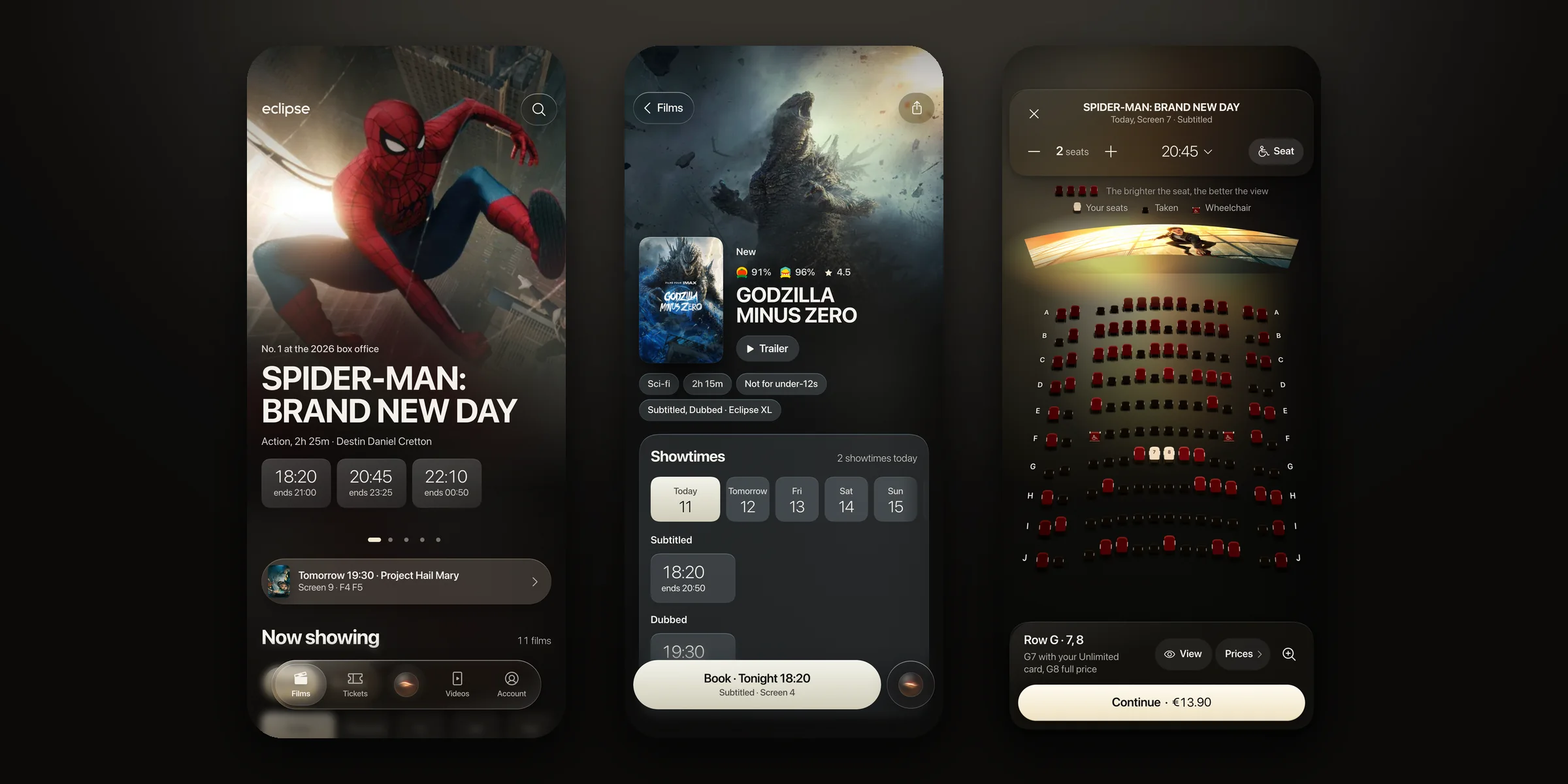
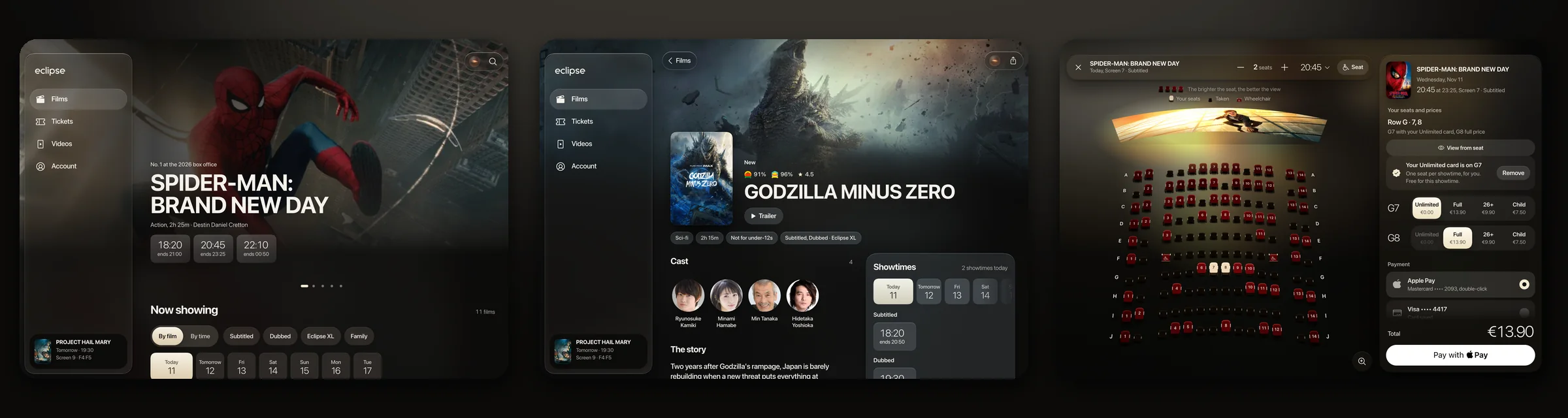
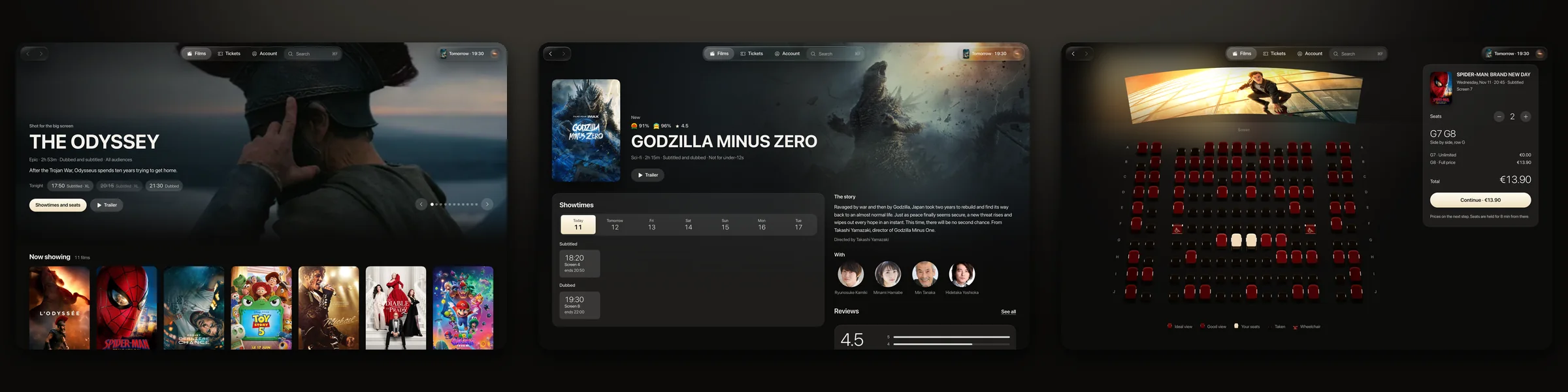
The screens
Beyond booking: the assistant, then the Day theme.
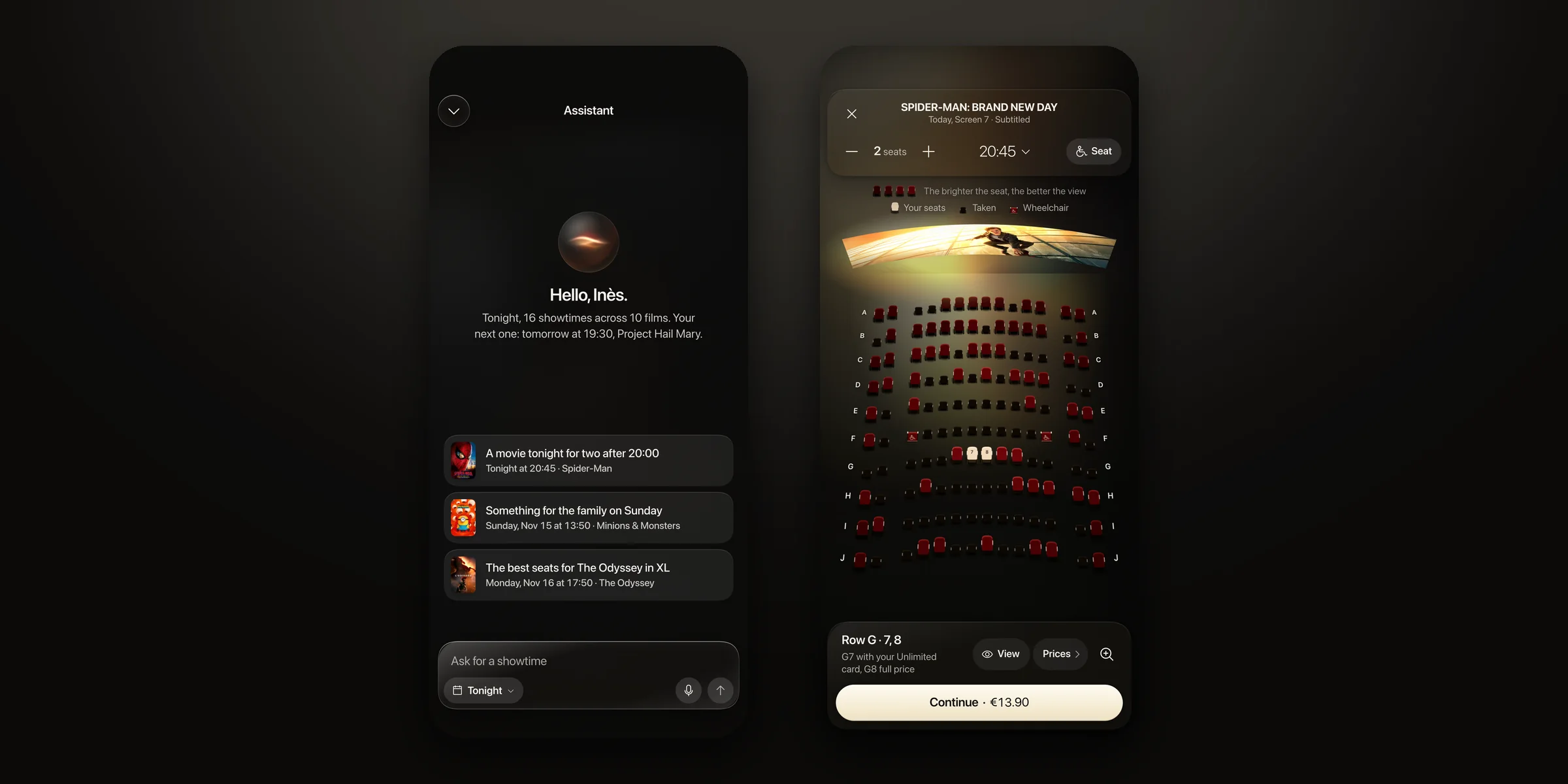
The assistant on iPhone: a request in plain words, then the seats it proposes on the real seat map; then the Day theme for booking in daylight: the film, the tickets, and the ticket itself, which stays an object of the night
Outcomes
A cinema app that feels like the room before the film starts.
The best seats, lit by the screen itself.